


















Cubes Style Illustrations
Cubes illustrations build scenes from bold isometric blocks and bright flats. Use them to explain interfaces and visualize data concepts. They add structure to tech products without clutter.



What is Cubes Style?
Rounded corners on cubic shapes soften the strict geometry. Bright primary and secondary colors sit on flat planes. Every object keeps clean edges and an isometric angle that feels orderly.
Teams working on SaaS dashboards use Cubes for empty states and data scenes. Mobile app designers drop blocky characters into onboarding and walkthrough screens. Educators pick its simple metaphors when clarity matters.
For tech products and UI







What Cubes artists draw
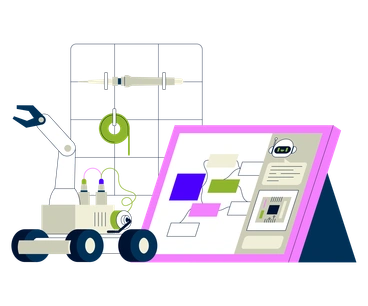
Scenes center on abstract devices and modular workspaces built from stacked blocks. You will also find geometric characters navigating interfaces and simplified architecture for tech environments. Browse by tag.
Choosing between blocky 3D styles
Comparing Cubes with nearby packs clarifies how much volume and personality your interface scenes actually require.

Transistor leans into detailed tech hardware and panels, while Cubes reduces devices to bright blocks that read quickly in UI.

Quirky introduces playful distortions and expressive faces. Cubes keeps figures simplified into rigid geometry for a calmer product feel.

Rocky suggests textured, irregular forms and organic edges. Cubes instead relies on strict cubes and rectangles with perfectly clean borders.

Wiggle bends lines and shapes for a loose, animated mood. Cubes favors stable, grid-friendly compositions and sturdy block constructions.

Bouncy exaggerates motion and rounded volume, great for lively brands. Cubes feels more structural, using firm angles and flatter shading.

Outline depends on strokes and airy interiors. Cubes removes outlines entirely and fills each object with uninterrupted solid color.

Vibrant emphasizes gradients and glowing transitions. Cubes skips gradients and relies on solid, saturated areas for clarity in dense layouts.
Framework focuses on wireframes and skeletal UI maps. Cubes builds solid, symbolic objects that suggest systems rather than precise screens.

3D Fluency offers soft shading and smoother forms. Cubes trades that volume for crisp isometric cubes and flat color fields.

Clap brings in friendly characters and narrative scenes. Cubes stays more abstract, using block metaphors instead of expressive storytelling.

Clipart spans many subjects with varied proportions. Cubes maintains strict geometric consistency, ideal when interfaces need one coherent visual language.

Joy feels character-driven and rounded. Cubes is more architectural and modular, better suited to data-heavy dashboards and system overviews.
Frequently asked questions


Start using Cubes illustrations today
Download PNGs for quick mockups or grab SVGs with a subscription for full customization. Drop Cubes assets into Figma or Pichon, adjust colors, and ship consistent visuals across product and marketing.