Products
Music Lunacy

Flow Style Illustrations

Flow illustrations blend hand-drawn icons with bold gradients and textured strokes. They add playful structure to SaaS dashboards and onboarding flows while keeping social graphics light.

40+ illustrations SVG & PNG Editable colors Commercial license
A smartphone with chat bubbles and a robot icon - Flow style illustration
Gradient Color Fields
Large gradient fills create smooth transitions between hues and keep icons feeling dimensional.
Textured Line Work
Hand-drawn strokes add roughness so shapes stay approachable but still read clearly at small sizes.
Icon-First Layouts
Simplified icon proportions keep compositions and easy to drop into UI elements or presentation slides.
Flat Yet Dynamic
Flat rendering combines with gradients and texture so scenes feel energetic without extra shading.

What is Flow Style?

The collection leans on flat geometric icons outlined with textured strokes and filled with smooth gradients. Bright backgrounds sit behind simplified objects so depth appears through color transitions instead of shadows.

Teams working on SaaS onboarding and creative tooling plus startup branding reach for Flow. The style fits playful yet focused products that need illustration-driven moments without heavy character scenes.

For apps and bright brands

SaaS Products
Use Flow scenes in onboarding flows and empty states plus feature highlights where hand-drawn icons with gradients reinforce product benefits.
Mobile Apps
Drop Flow assets into launch screens and update announcements so app visuals feel lively and consistent with modern, colorful interfaces.
Marketing Sites
Marketing teams use Flow for hero strips and pricing sections where gradient-backed icons quickly suggest features without heavy illustration blocks.
Presentations
Pitch decks and internal updates gain character when Flow icons mark chapters and explain abstract product ideas during creative workshops.

What Flow artists draw

Workplace routines and relaxed social scenes appear often, along with devices and interface fragments framed by big gradients. Browse by tag to jump straight into the themes you need.

Pick your Flow mood

Comparing illustration moods helps you match gradients and texture intensity to your product tone and audience expectations.

A light bulb surrounded by geometric shapes - Grainy style illustration
Grainy

Grainy leans on noise textures and muted palettes, while Flow favors smooth gradients and lines for a cleaner, brighter feel.

122+ illustrations
A stylized doorway with stairs and an arrow - Bright style illustration
Bright

Bright pushes flat shapes with solid colors, whereas Flow relies on gradients and textured strokes that soften icon edges.
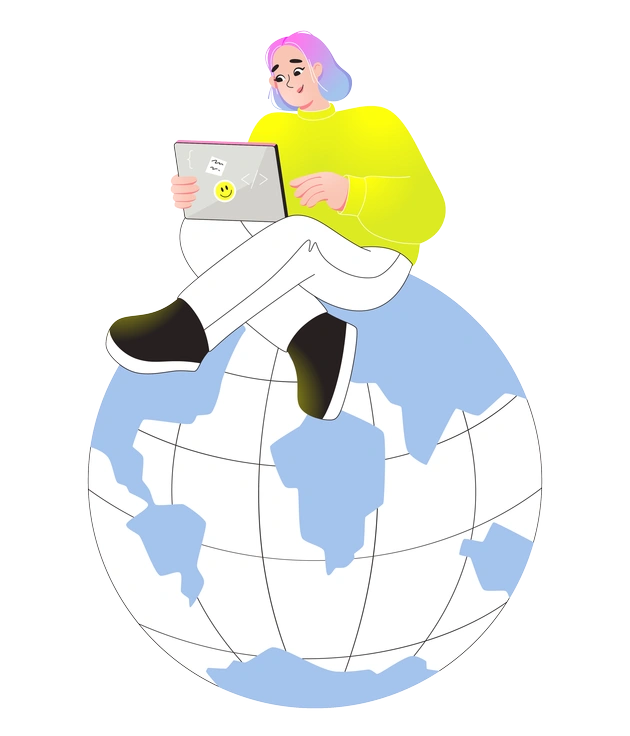
445+ illustrations
A person sitting on a globe with a laptop - Like style illustration
Like

Like emphasizes friendly 3D-style characters, while Flow stays closer to icon proportions and abstracted figures with bold gradient fields.

111+ illustrations
A person gaming at a computer - Active style illustration
Active

Active focuses on dynamic motion poses and sporty themes. Flow leans into digital work scenes and calmer interface gestures.

289+ illustrations
Animated
A brain connected to data and science elements - Glossy style illustration
Glossy

Glossy introduces strong highlights and reflective effects. Flow skips shine and keeps flat gradients with textured ink-like strokes.

378+ illustrations
A brain surrounded by abstract digital elements - Chromed style illustration
Chromed

Chromed mimics metallic surfaces and high contrast edges, whereas Flow feels softer with paper-like textures and more playful palettes.

123+ illustrations
A person playing a yellow guitar - Mellow style illustration
Mellow

Mellow softens everything with toned-down hues and gentle scenes. Flow uses brighter gradients and slightly sharper contrasts for bolder applications.
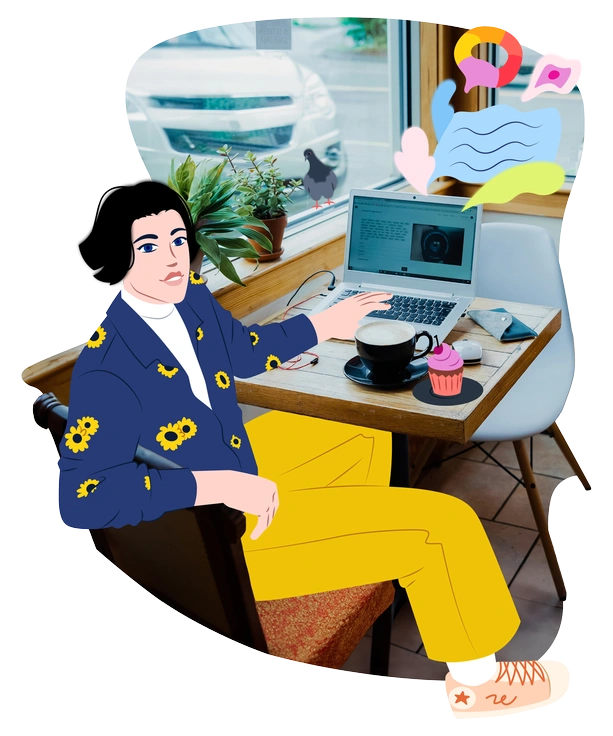
594+ illustrations
A person sitting at a café table - Everyday style illustration
Everyday

Everyday centers on literal daily-life vignettes with fuller environments, while Flow simplifies backgrounds and emphasizes icons and abstract props.

163+ illustrations
A person using a smartphone with paper airplanes - Folks style illustration
Folks

Folks leans into character-heavy storytelling and warm flat shading. Flow keeps figures minimal and pushes color through gradient-rich objects.
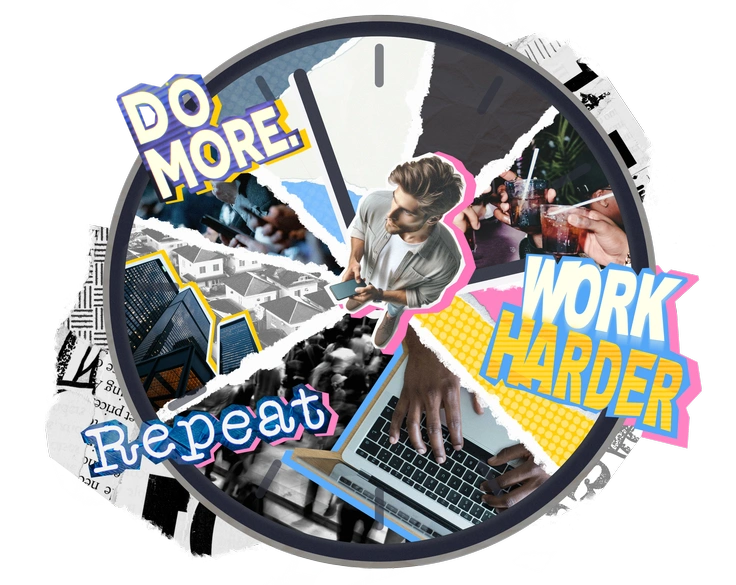
791+ illustrations
A collage of motivational phrases and work imagery - Paper Cut style illustration
Paper Cut

Paper Cut imitates layered cardstock edges and shadows. Flow instead uses drawn contours and gradients without faux depth steps.

86+ illustrations
Animated
A hand holding a smartphone with an alert - Rush style illustration
Rush

Rush favors loose, hurried strokes and irregular proportions. Flow feels more balanced with consistent icon geometry and smoother gradient areas.

83+ illustrations
A person holding a cat and a report - Flexy style illustration
Flexy

Flexy bends shapes into stretchy, exaggerated forms. Flow keeps silhouettes cleaner and relies on gradients and texture to build interest.

561+ illustrations
Animated

Frequently asked questions

PNG downloads work well for presentations and small print. For large-format uses, grab SVG on a paid plan so illustrations scale cleanly without artifacts.
The Flow gallery currently includes 40 hand-drawn gradient illustrations. New pieces may appear over time as the style evolves on Icons8.
You can recolor Flow illustrations by editing SVG files in your design tool or adjusting gradients and strokes directly inside Icons8 Mega Creator.
Flow is available on both free and paid plans. Paid subscriptions unlock SVG downloads and remove attribution requirements for commercial products.
On the free plan you must add a clickable Icons8 link near your design. Paid users can ship Flow artwork without attribution.
Abstract liquid sphere illustration 3D coins illustration 3D charts in metal box illustration

Start using Flow illustrations today

Grab PNGs for quick mockups or pull SVGs straight into Figma and Sketch or XD. Use Flow to update onboarding and refresh marketing pages then ship cohesive visuals across your product.

Explore Flow library